
Introduction
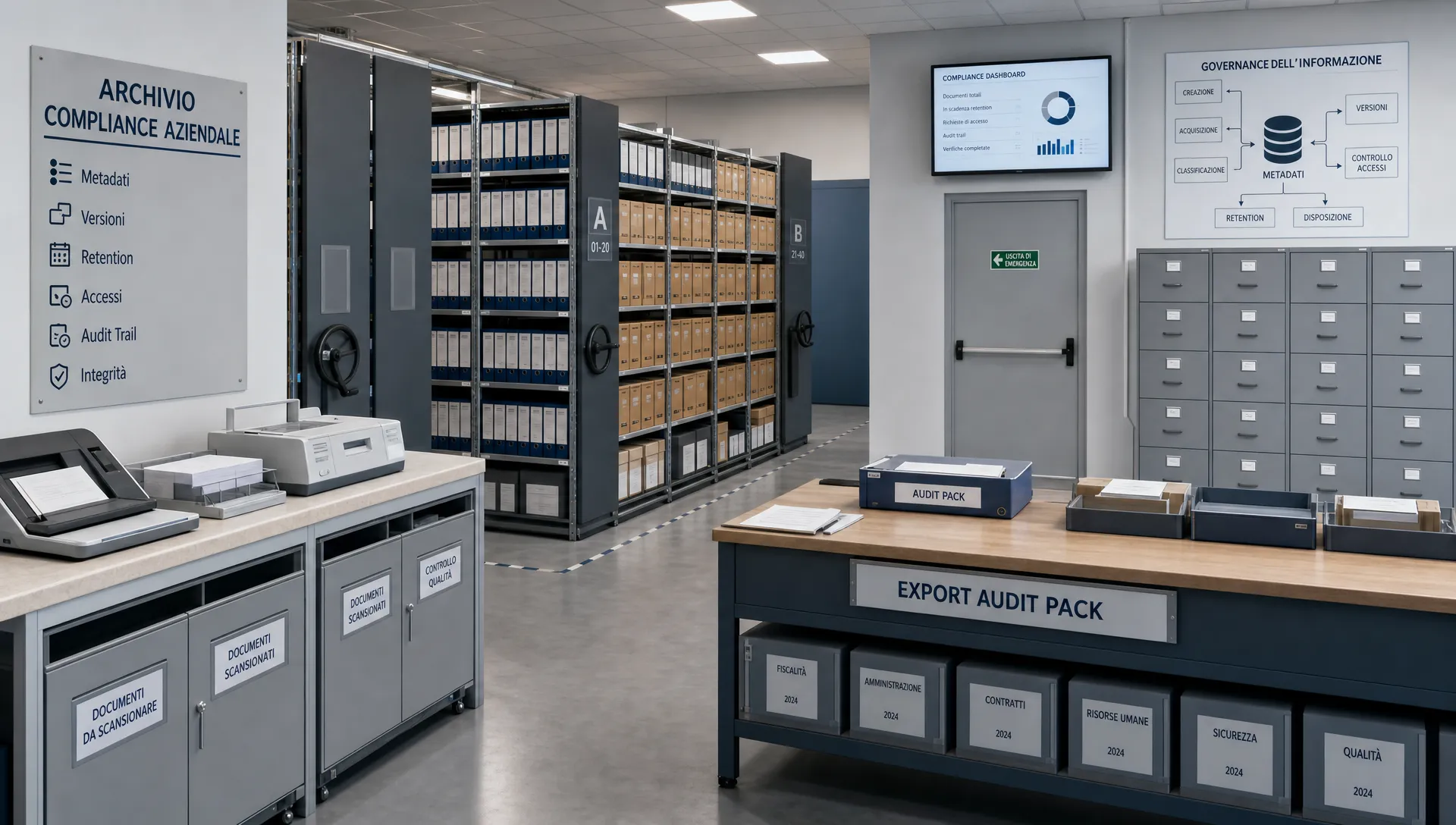
A well-organized file store is a start, but audits demand more than tidy folders and search. Auditors want to know who created a document, which version was effective at a given date, which control it supports, how long it must be retained, and what happened when it was superseded or expired.
For privacy officers, CISOs, IT managers, risk and internal audit teams, the operational question is rarely “where is the file?” — it’s “is this evidence verifiable, complete and defensible?” This guide is practical (not legal advice): it explains how to set up metadata, versioning and retention so documents become usable evidence in GDPR, NIS2, DORA, ISO 27001 or corporate governance audits.
What makes a document repository auditable
An auditable repository lets an authorized third party reconstruct the lifecycle of an evidence item without relying on people’s memories. That means linking each file to the requirement it supports, the responsible owner, the approved version, modification logs and the retention rule applied.
A typical file archive helps you find a document. An auditable repository helps you prove compliance.
Key differences
- Generic file archive: files organised by folder or department. Auditable repository: evidence linked to controls and compliance requirements.
- File name as reference: messy and ambiguous. Auditable record: unique evidence ID, owner, validity period, state and source.
- Manual versioning: error-prone. Auditable versioning: version history with reason and approval.
- Invisible deletions: risky. Auditable retention: expiry, review, and deletion logs.
- Ad-hoc export before audit: stressful. Auditable audit pack: repeatable, verifiable extraction.
Metadata: the evidence identity
In a compliance-oriented system, metadata are not optional labels — they are the evidence’s identity card. Without consistent metadata, a correctly worded PDF in a folder can still leave auditors wondering which control it proves and whether it applied at the time under review.
Minimum metadata schema
Apply a common metadata scheme across policies, minutes, risk assessments, technical reports, control evidence, privacy registers and supplier files. Useful fields include:
- Evidence ID: unique, non-reusable identifier to avoid ambiguity.
- Owner: the person or role responsible for the content.
- Framework and requirement: mapped to GDPR, NIS2, DORA, ISO or internal models (use controlled lists, not free text).
- Linked control: reference to your control library or audit plan.
- Validity period: start date, end date and review cadence.
- State: draft, approved, superseded, expired — with a traceable approval workflow.
- Source: internal system, supplier, or auditor submission (with proof of origin).
- Classification: document category and confidentiality level for access and retention.
A simple completeness rule prevents items missing owner, validity or control link from entering the audit pack — reducing the risk of unusable outputs.
Versioning: show what changed, when and why
Auditors must be able to prove that a document wasn’t silently replaced. Updating a policy after a finding is legitimate, but the system must show which version was effective before the change, what was modified, who approved it and when the new version took effect.
Audit-grade versioning includes: version number, author, timestamp, rationale for change, approver, state of the previous version and references to any related findings or remediation tasks. The same model fits technical change-management documentation: decision, tests, approvals and rollback history must remain readable.
Events to capture
- Creation: author, date, source, linked control — answers “where did this evidence originate?”
- Periodic review: reviewer comments, owner, review outcome — answers “was this control reviewed?”
- Approval: approver, timestamp, approved version — answers “who validated it?”
- Replacement: previous and new version, reason — answers “what changed and why?”
- Remediation: linked finding, corrective action, closure date — answers “was non-compliance addressed?”
- Archival: final state and applied retention — answers “why is this document inactive?”
Operational best practice: keep content (policy text, report) separate from process proof. Store the file plus a maintained history of who uploaded, reviewed and approved it, and which event triggered the change.
Retention: keep enough, but not everything forever
Retention touches audits, legal obligations, contracts, cybersecurity, privacy and risk. An auditable system must support differentiated retention rules by document category rather than a one-size-fits-all policy.
Regulatory contexts such as GDPR, NIS2 and DORA emphasise the need to demonstrate ongoing control, incident handling and resilience. Specific retention periods should be validated with compliance, legal or data protection officers, and implemented so the rule — and its execution — are verifiable.
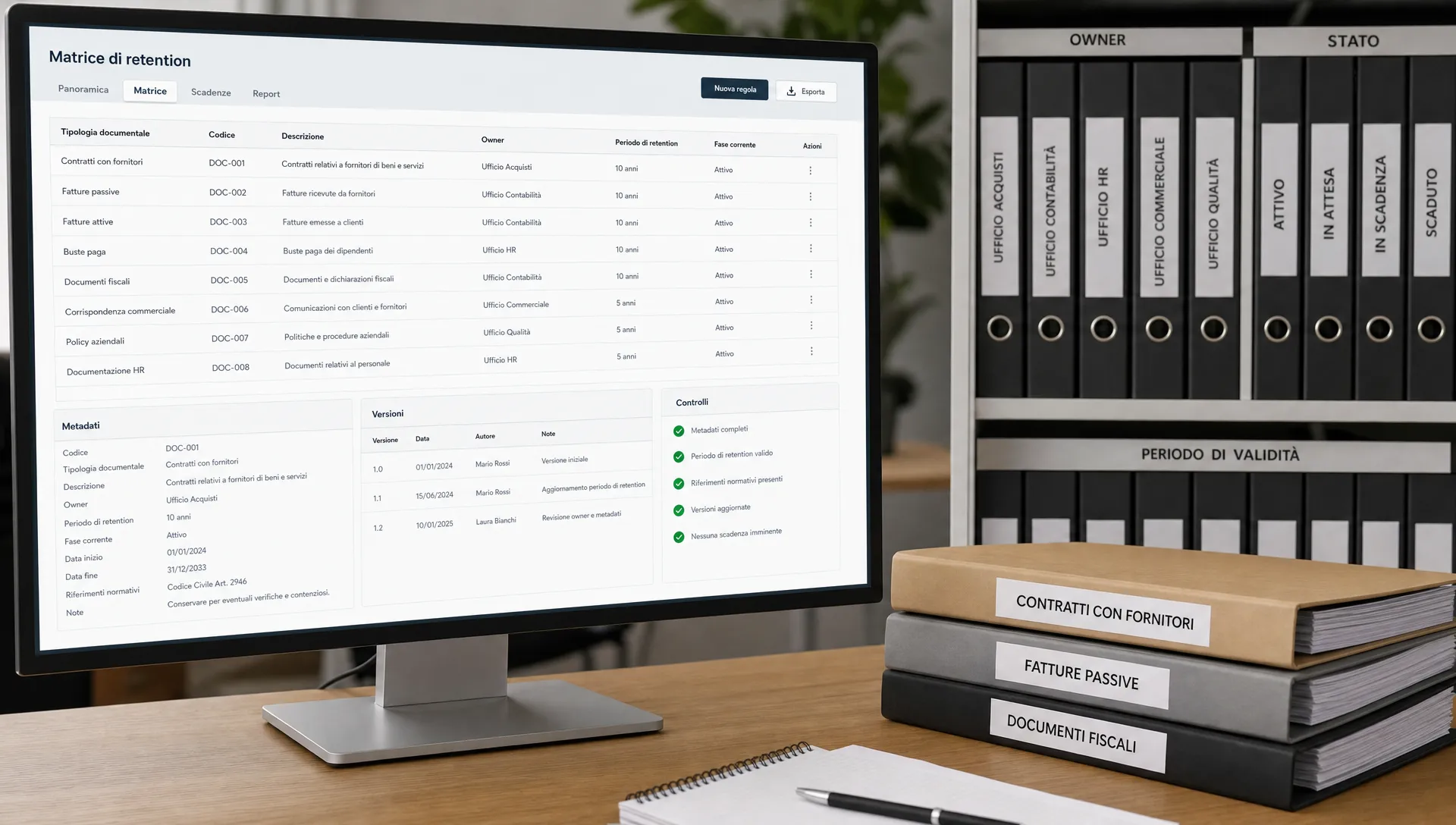
A retention matrix should include: document category, legal or operational basis, event that starts the retention clock, owner responsible for review, litigation or investigation holds, final action (archive or delete) and proof of action. Avoid the “keep everything to be safe” trap: uncontrolled accumulation makes it harder to demonstrate relevance and governance.
Audit trail and access controls: traceability that prevents disputes
Without logs, you risk being asked “how do you know this evidence wasn’t modified after the audit period?” An audit trail should record key events such as creation, modification, approval, download, export, permission changes, archival and deletion.
Useful log records contain: user or service identity, role, action, object, timestamp, result, relevant technical context and a reference to the evidence item. For implementation details on integrity and log handling see best-practice guidance on audit trails and log management.
Access governance complements traceability. Auditors expect that confidential documents aren’t editable by everyone, suppliers upload only what they’re authorised to, and exports are controlled. Implement role-based permissions, separation between preparers and approvers, periodic access reviews and timely revocation of unused accounts.
Operational checklist for configuring an auditable system
Before selecting or reconfiguring a document management tool, convert requirements into verifiable controls. The checklist below focuses on the system’s ability to produce defensible evidence rather than UX or aesthetics.
- Metadata: Are mandatory fields enforced to prevent incomplete evidence? Produce configuration screenshots, sample records and incomplete-record reports.
- Ownership: Does every evidence item have a current owner? Produce an owners list, assignment history and review schedule.
- Versioning: Are prior versions retained and accessible? Produce version history with rationale and approvals.
- Retention: Are rules applied by document category? Produce a retention matrix, policy and archival/deletion logs.
- Access: Are permissions role-based and least-privilege? Produce role matrix, access review records and permission-change logs.
- Remediation: Are findings linked to the right evidence? Produce finding logs, actions, owners and closure dates.
- Exportability: Does the audit pack retain context and traceability? Produce an index, exported metadata and export logs.
- Third-party evidence: Are external submissions validated and traceable? Produce receipt records, acceptance proofs and internal approvals.
If the system cannot produce evidence for any checklist item, treat it as a governance gap owned by a responsible function and plan remediation.
Common mistakes that weaken auditability
- Using folders as the control model. Folder hierarchies help navigation but do not demonstrate approval, validity or linkage to requirements.
- Treating the final PDF as the only evidence. Signed documents are important, but without review history and approval trails they leave process questions open.
- Duplicating files per framework. If the same measure supports ISO 27001 and NIS2, keep a single canonical evidence item with multiple mappings rather than divergent copies.
- Indefinite retention “just in case.” Retention must be governed, documented and justifiable. Litigation or investigation holds should be recorded and limited in scope and time.
Building an audit pack
An audit pack is not a last-minute ZIP file. It should be a controlled extraction of evidence that has been governed throughout the year. For each control included, auditors need to see what the evidence proves, who owns it, the period it covers and whether any exceptions remain open.
A concise, repeatable audit pack typically contains: an index, mapping of requirements to controls, list of evidence items with key metadata, approved versions for the review period, relevant audit-trail excerpts, remediation status and applied retention notes. Include what answers the audit questions with minimal noise.
Make preparation a procedure: freeze the scope, validate metadata completeness, export only valid versions, attach required logs, obtain owner approval of the pack and record the export event. This creates an internal chain of custody useful for subsequent audits.
FAQ
Is a document management system alone enough to prove compliance? Not by default. It must be configured to link documents to controls, owners, versions, logs and retention. Without those elements it remains a tidy archive but weak as evidence.
Which metadata are essential? Context matters, but a practical starting set is: evidence ID, owner, linked control, state, validity period, source, version and classification. Validate with compliance, DPO or legal functions.
How long should audit evidence be retained? There’s no universal answer. Retention periods should be documented in a retention matrix based on purpose, legal obligations, risk, contracts and audit needs, then implemented with verifiable logs.
Can a document system handle evidence from third parties? Yes — if it supports controlled ingestion, source traceability, internal validation, limited permissions and linkage to the relevant control or risk.
Bring metadata, versions and retention into a controlled flow
If your team needs to deliver verifiable evidence for GDPR or other compliance programs, AuditReady centralises documents, controls, owners, versions, audit trails, privacy registers and auditor packs in a single operational space. To see an evidence-first flow in action, request a demo of AuditReady for GDPR at /en/auditready/lp/gdpr.
Disclaimer: This is practical guidance and not legal advice.