
Gap Snapshot in AuditReady
The Gap Snapshot in AuditReady captures the compliance status at a specific point in time by linking an assessment to a particular audit and framework. This snapshot preserves the responses given to controls and highlights whether each control is fully covered, partially covered, or not covered at all, along with any linked evidence and notes. It supports evaluation, corrective action planning, and tracking progress over time.
Step 1: Understand the Gap Snapshot context
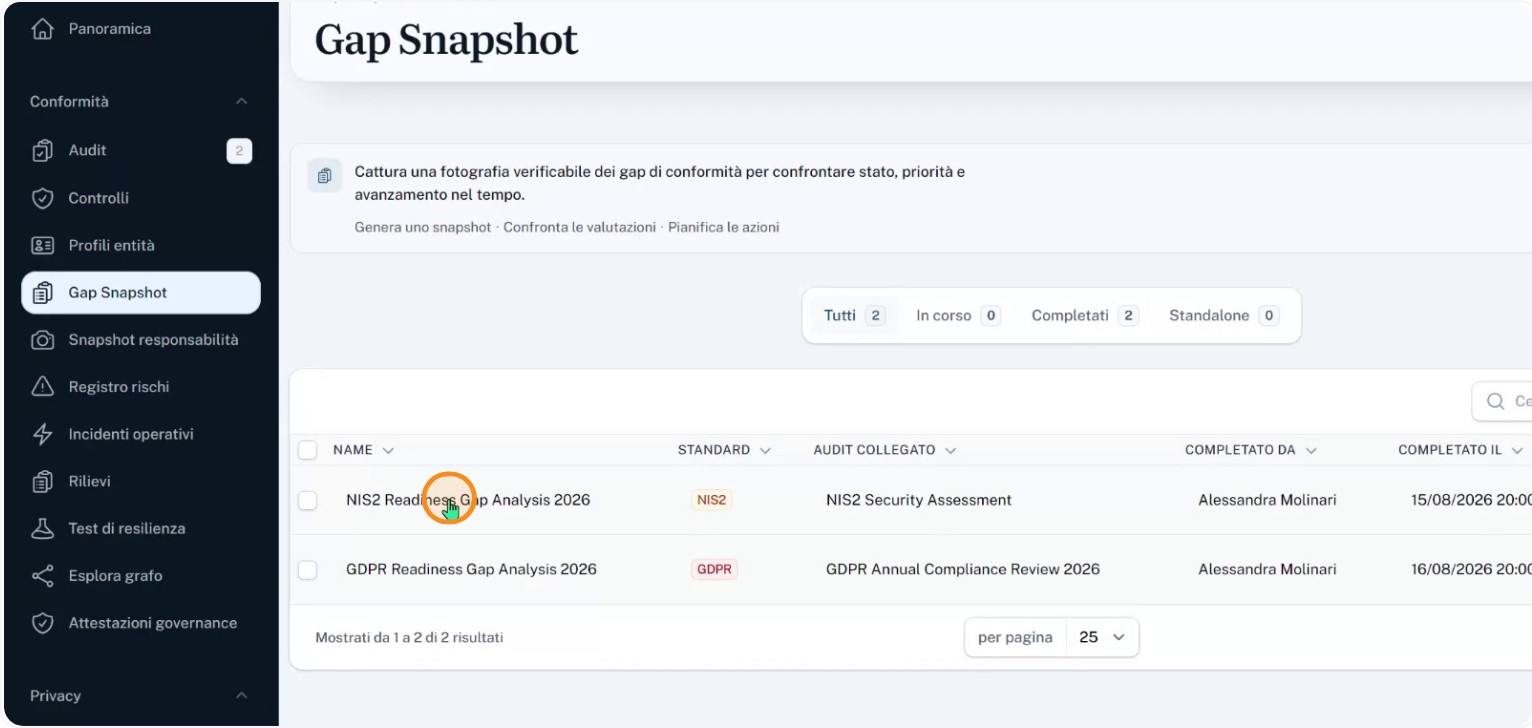
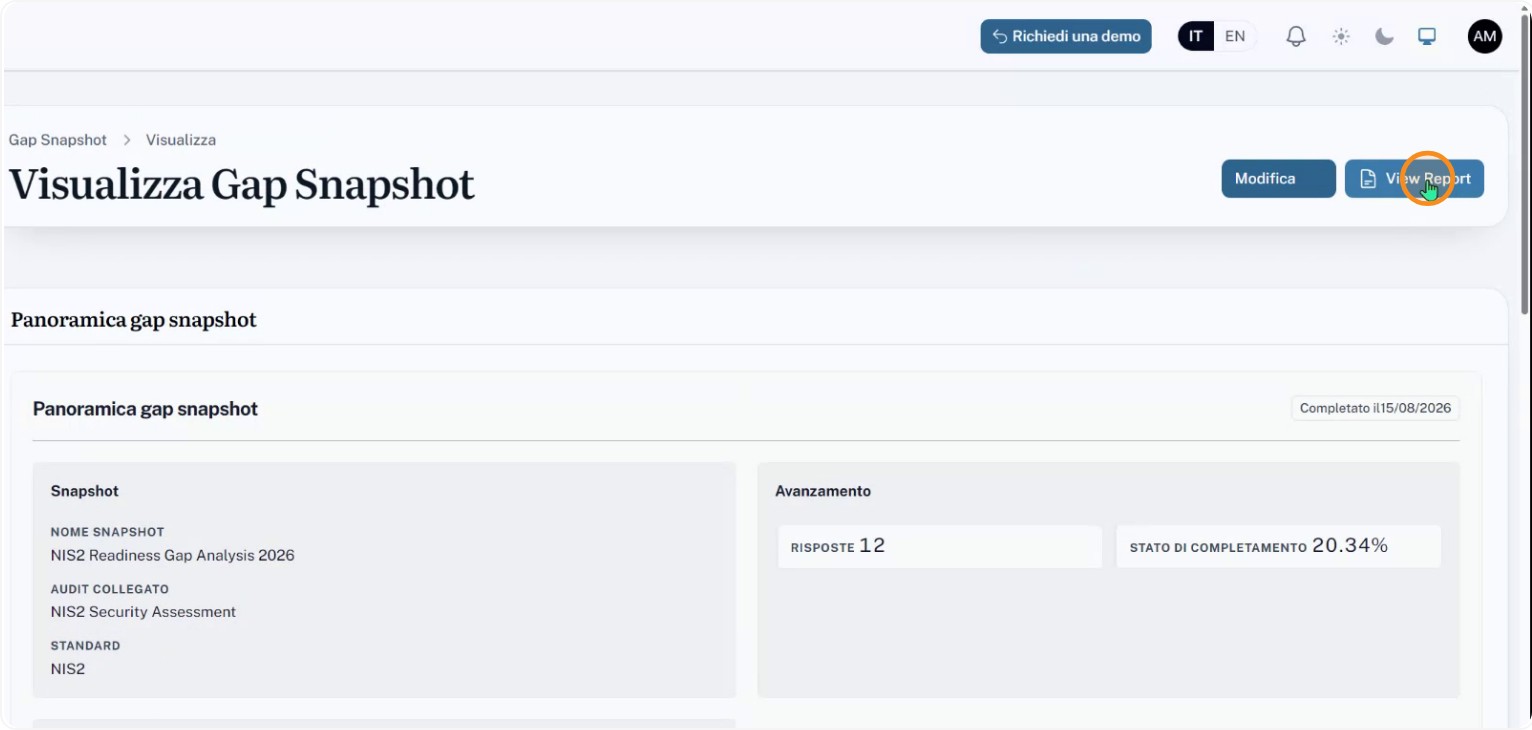
Start by identifying which audit and framework the Gap Snapshot is associated with. For example, the snapshot might refer to an assessment called “NIS2 Risk Escape Analysis 2026”, completed by a specific person (e.g., Alessandra Molinari) on a given date (for example, 15 August 2026), and containing a certain number of control responses (for example, 12). These contextual details show which audit exercise and time period the snapshot represents.
Step 2: Review control coverage status
Within the Gap Snapshot, review the status of each control. Each control will fall into one of three main states:
- control is covered
- control is only partially covered
- control is not covered
For each control, check whether there are:
- linked pieces of evidence (documents, records, or supporting proofs)
- explanatory notes that justify the chosen assessment
Step 3: Check examples of covered and partially covered controls
Use concrete examples to learn how to read the Gap Snapshot:
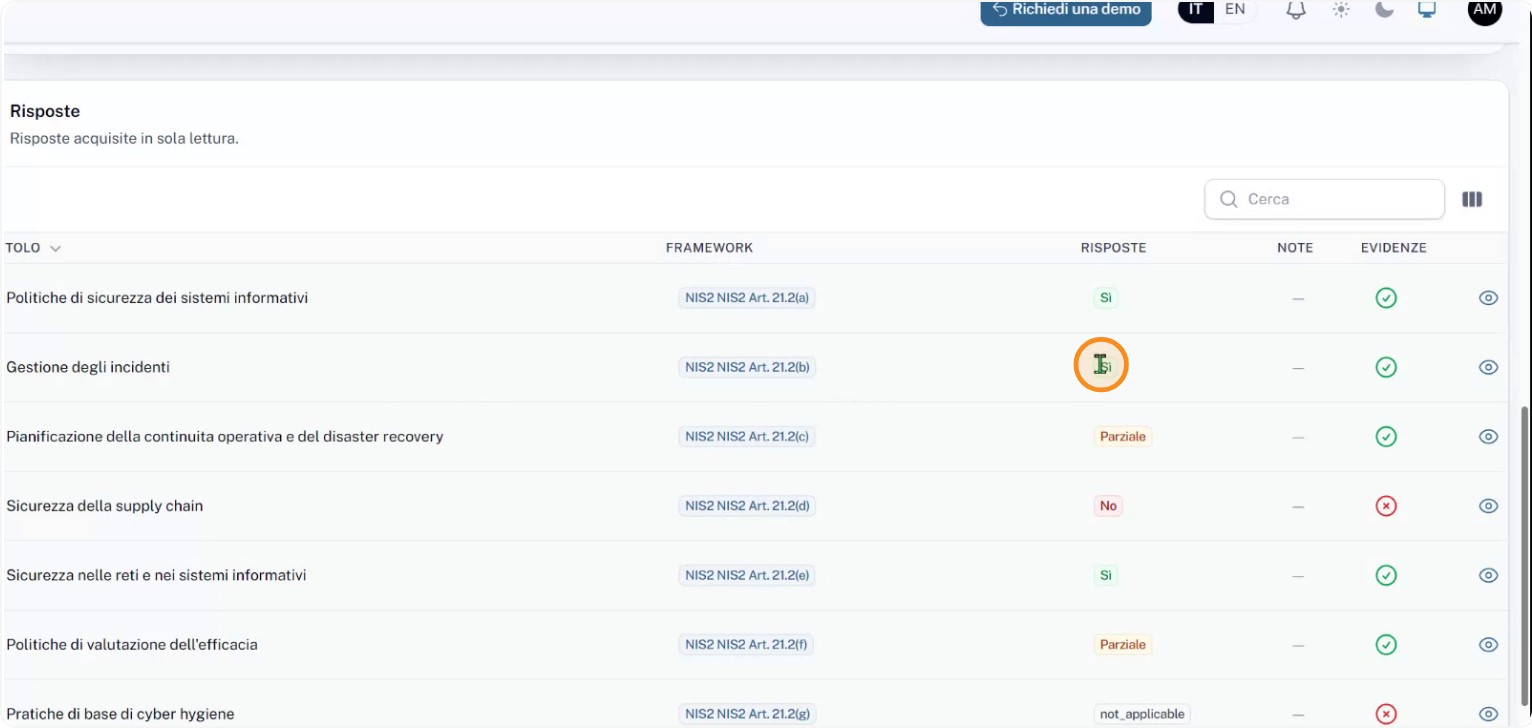
- An incident management control may be shown as “covered,” meaning the requirements are met and supported by appropriate evidence and notes.
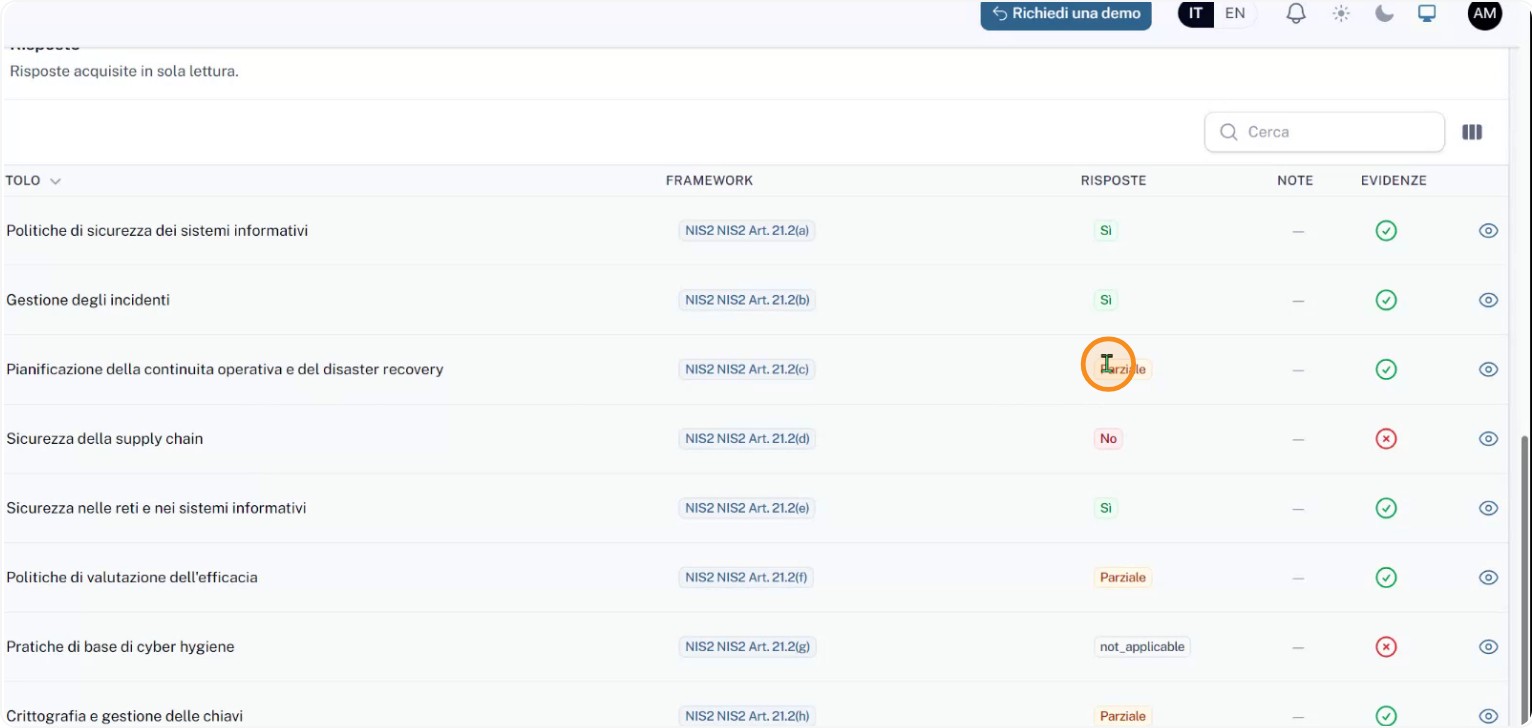
- A business continuity and disaster recovery control may be marked “partially covered,” indicating some requirements are met while others still need action or additional evidence.
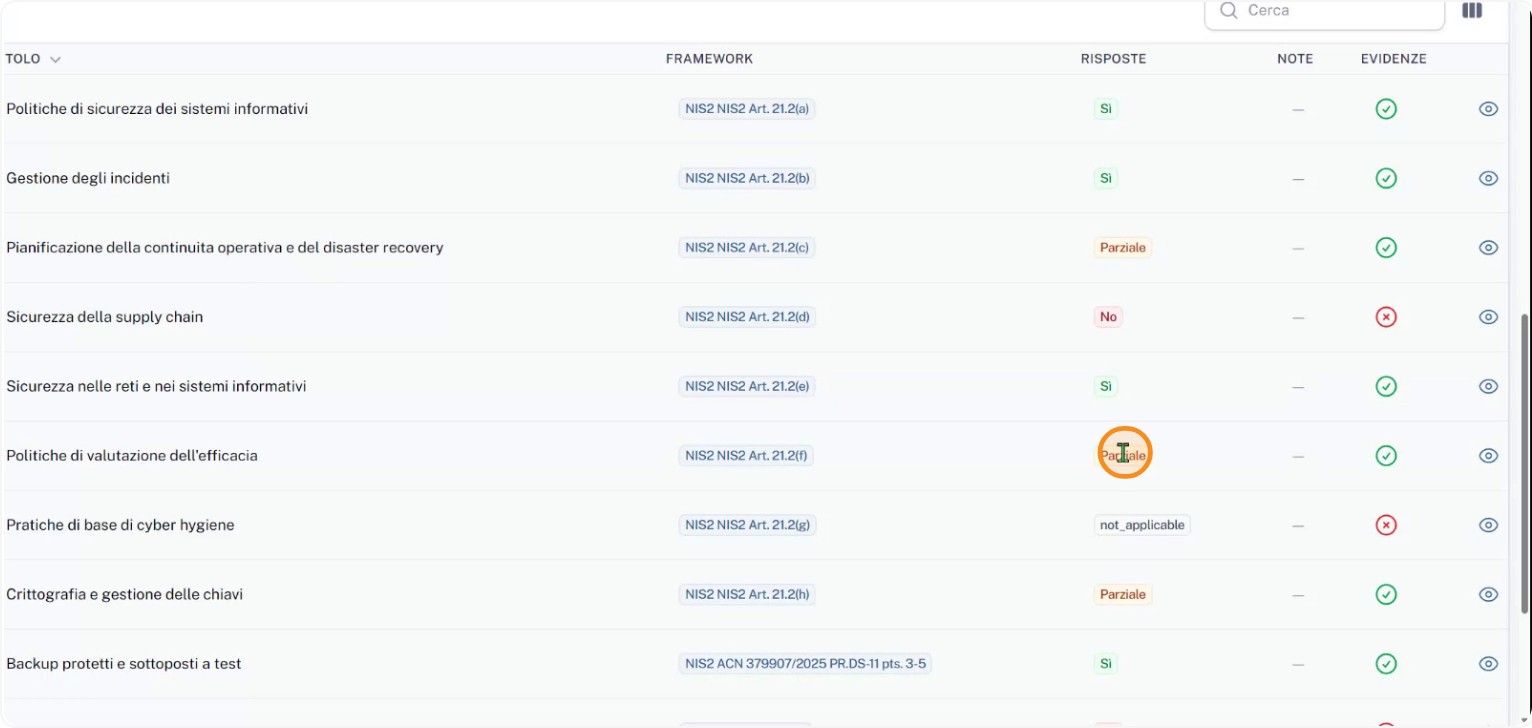
These examples help interpret the different coverage statuses within the assessment.
Step 4: Read the gap and risk summary
Open the system-generated summary report to see an overview. In the summary you can find:
- the total number of gaps identified (for example, six gaps)
- how many gaps lack linked evidence or complete responses (for example, three without evidence)
- the risk level assigned to each gap (for example, two high-risk gaps)
- which controls are critical, such as:
- supply chain security
- multi-factor authentication
In this example, both controls have negative responses and no linked evidence. That highlights priority areas to address.
Step 5: Use the Gap Snapshot for compliance and planning
Keep in mind that the Gap Snapshot:
- is not an automatic statement of compliance
- does not provide a numeric compliance score
It is a verified snapshot of control status at a given time. Use it to:
- assess compliance against the chosen framework
- plan corrective actions to close identified gaps
- compare progress over time across multiple snapshots
- share a clear, documented view with owners, auditors, and stakeholders — including exporting the report as a PDF for distribution and archiving.